TTFB & Server Timings
Time to First Byte (TTFB) is metrics to measure how fast your server respond to request. To get better visualization of what happen under the hood, we implemented Server Timing for every server-side request. You can see it in Chrome DevTools network panel by selecting html page and clicking Timings tab
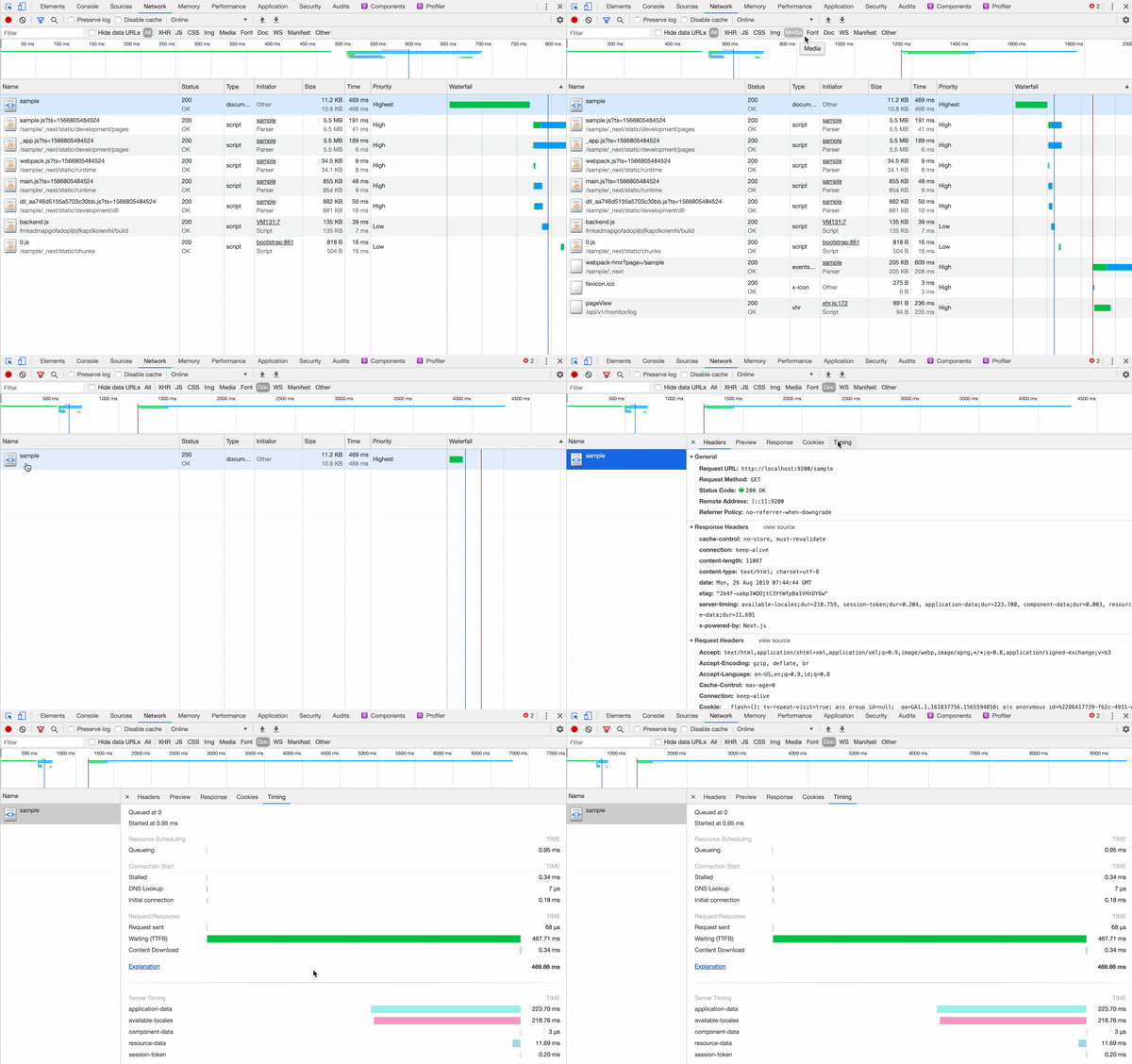
There are multiple measurements available:
- page-data: This is data requirement from your page component. It measure how long it took to execute
getInitialPropsin your page component. This is where your focus should be when you're trying to improve TTFB - shared-application-data: This is application data needed to render the page. We fetch currency, user information, feature control, and SEO data in parallel here. This is currently not optional considering data already fetched in parallel anyway
- resource-data: This measure how long it took for content API to respond with resource data if you declare any dependency via
useResourcehooks and its derivative. - session-token: If user has already session token in their cookie, this will simply do nothing, or else the API call to generate new session token happen here.
- available-locales: This is where we fetch currently available locale. It's executed before
application-databecause we need this to validate whether current locale exist or not. This is cached for 1 mins, so if it took longer than 50ms it's probably because cache is expired and we need to fetch again to get fresh data.
You can only focus on improving page-data metrics, because the other one is not optional. Best case scenario is when you don't have server-side API dependency in your page, locales data is still fresh from cache, and user session token already exists. Assuming single API call took at least 100ms, you still looking at ~200ms just for API call.
To make sure that page-data metrics is acceptable, make sure you only do server-side API call if it's really necessary (for example SEO purpose). Even then, you still need to convince your backend engineer to come up with faster API with no waterfall request for server-side rendered page.
If you need to call API, it's preferable if you only call 1 API. Multiple API endpoint that can be called in parallel is still acceptable as well.
In the next section, we'll discuss how to improve server-rendering even more!